
Hotfix Application
The Swarovski product assortment includes a wide range of Hotfix products. These can be applied simply, quickly and securely. Hotfix technology is ideal for application in the fields of textiles, interior décor and accessories.
Product Overview & Machines and Tools
The following products are suitable for Hotfix application:
| Product | Hotfix Application |
|---|---|
| Flat Backs Hotfix | ✓ |
| Crystal Transfers | ✓ |
| Crystal Textures Hotfix | ✓ |
| Crystal Mesh | ✓ |
Machines and tools
The following machines, tools and aids are used in the Hotfix application of Swarovski crystals:
- Iron
- Heat press
- Double heat press
- Continuous fusing press
- Ultrasonic device
- Stone setting machine


Tool for designing Transfers, art. 9010/006.

Art. 9010/003.

Art. 9010/002.

Tool for Crystal Diamond Transfers, art. 9010/005.


Art. 9010/007.


Suppliers
The following machines and tools are commonly used for Hotfix applications:
- Heat press
- Double heat press
- Continuous fusing press
- Ultrasonic device
- Stone setting machine
- Applicator
- Silicone board (tool for designing Transfers)
- Teflon® foil
- Silicone ironing pad (foam)
- Silicone pad (tool for Crystal Diamond Transfers)
- Temperature measuring strips
- Laser temperature measuring device
- Transfer film
If you are setting up or refining a Swarovski Hotfix application process, contact eCrystalHouse for help selecting a practical combination of application equipment, temperature-control tools, pressure-compensation materials, and transfer accessories for your products, carrier materials, production volume, and process requirements. We can assist with product selection and sourcing for testing, pilot work, or ongoing production.
Application
Basic Hotfix Principles
Hotfix elements have a coating of hot-melt glue on the back, enabling swift, simple application. This glue is activated by heat (applied either directly or indirectly via ultrasound), and bonds with the carrier material.
When cooling, the glue hardens and securely and permanently fixes the elements in place. The Swarovski Hotfix adhesive is characterized by its wash resistance and easy-care properties. The temperature, application time and pressure can be varied according to the carrier material. Further details and information can be found in the “Care Instructions” chapter and in the Hotfix Selector table at the end of this chapter.

- Crystal
- Silver foiling (A): silver mirror finish (only for XIRIUS and XILION Hotfix articles) or aluminum foiling (M): aluminum mirror finish.
- Primer: Silver foiling (A): transparent primer improves the bonding between the hot-melt adhesive and the A-foiling. Aluminium foiling (M): grey primer improves the bonding between the hot-melt adhesive and the M-foiling.
- Hot-melt adhesive: This transparent adhesive, developed by Swarovski, allows the application of the crystals on a variety of different materials.
Material Check
Before beginning the application process, you should always check whether the carrier material is suitable for Hotfix application. Please check the following criteria:
- Heat resistance (min. 120 °C/250 °F)
- Resistance against pressure
- Application area of the product
- Suitability of surface properties and absorbency
Checking absorbency via the water drop test
The water drop test is a quick and easy way to get an initial idea of the absorbency of the carrier material. Apply a couple of water drops onto the carrier material. If the material quickly absorbs the drops, it offers good absorbency. If the water pearls off the carrier material, or if it takes a long time to be absorbed, the material offers insufficient absorbency. This can impair the effectiveness of Hotfix application.

Drops are absorbed.

Drops pearl off.
Some textiles and special finishes are unsuitable for Hotfix application, due to a lack of absorbency. This is a list of unsuitable carrier materials and finishes:
- Very tightly woven textiles
- Very thin fabrics, e.g. tulle
- Smooth leather and smooth imitation leather
- Hydrophobic or water-repellent treatments (silicone, synthetic resin as a waterproofing agent)
- Teflon® coatings
- Stain-resistant treatments
- Easy-to-care treatments
- Fluorocarbon finishes
- Softening agents
- Select dyes (dyes with metal pigments)
- Enzymatic treatments
Note: It can sometimes be helpful to wash the carrier material before application, in order to remove any unsuitable finishes (particularly softening agents), and thus improve absorbency.
Preparation
Generally, the following parameters are most important when carrying out Hotfix applications of Swarovski products, depending on the consistency of the base material:
- Temperature
- Pressure
- Application time
- Application side
Note: A detailed summary of all application parameters can be found in the Hotfix Selector table at the end of this chapter.
Temperature
Swarovski Hotfix adhesive is activated within a temperature range of 120 °C to 170 °C (250 °F to 340 °F). A suitable application temperature can be selected from this range according to the carrier material and its sensitivity to heat.
With heat presses, the temperature selected on the display does not always reflect the actual temperature on the surface of the press. Often, the temperature can be distributed unevenly, or one heat plate may be defective. It is therefore recommended to regularly check the temperature with a laser measuring device or temperature measuring strips at various points on the heating surface, to ensure the temperature is distributed evenly across it. Checks should be carried out regularly (once per week), particularly during production.


Pressure
The pressure setting depends on the Hotfix elements to be applied, the carrier material, and the technical equipment (machines, etc.) available. Too much pressure can cause the adhesive to be spread out and can also affect the surface of the carrier material. Too little pressure, however, can result in a weak and insufficient bond between the crystals and the carrier material. In general, the pressure should be applied directly to the crystals (e.g. Flat Backs Hotfix, Transfers, Crystal Mesh). It is therefore necessary to check if there are any buttons, zippers or other raised parts surrounding them. Always use a compensating pad to even out the surface.


When applying Swarovski crystals of different heights, a compensating pad should always be used. Silicone foam, foam rubber or felt can be used here.
Height compensation with different Hotfix elements


The parallel plane of the heat press
Take care to apply pressure evenly when using a heat press with a scissor mechanism. The upper plate of the heat press must be completely horizontal in order to effectively and evenly distribute pressure and temperature.


Checks should always be carried out to make sure the plates are parallel. This can be done by placing paper test strips into the press and closing it with the least possible pressure. After this, if it takes the same force to pull out each strip, the plates are parallel.
Application time
In general, the application time should be sufficient to allow the hot-melt glue to be fully activated, and then to penetrate the carrier material. The application time necessarily depends on the Hotfix elements, the temperature selected, the machine used, the carrier material and the application side. A detailed summary can be found in the Hotfix Selector table at the end of this chapter. Please note that the times stated are intended as a guideline. When adapting them to your application, it is recommended to carry out tests on the original material.
Application side
Hotfix elements can usually be applied from the front and the back. A shorter application time can be achieved with thinner fabrics by applying crystals from the back, as the heat reaches the adhesive through the carrier material faster, activating it immediately.

When applying Hotfix products on thick or multi-layered fabrics (such as seams) the application side selected should be the one that allows the heat to be transferred to the hot-melt adhesive quickest. This ensures fast, optimum activation.
Selecting the optimum application side


Note that the shape and size (causing irregular temperature penetration) of many items (e.g. Cabochon Transfers, Creation Transfers Plus) will only allow an application from the back. Further information can be found in the Hotfix Selector table at the end of this chapter.


Defining the optimum application parameters
Adhesive has been successfully activated when, using a magnifying glass, it is possible to see a thin edge of glue formed around the crystal. On thin fabrics, the optimum application parameters are chosen when the glue will have lightly penetrated through the fabric and is lightly visible at the reverse.


When parameters have been incorrectly selected, such as an extreme application temperature, pressure, or application time, significant amounts of glue can spread out. When the application temperature or pressure is too low, or the application time too short, the adhesive cannot be sufficiently activated, leading to problems with adhesion.
Application
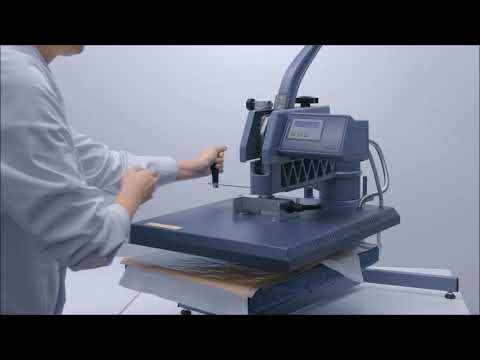
Application using a heat press
A heat press is the ideal tool for applying Hotfix products as it can be used to apply even, adjustable pressure. All Swarovski products mentioned in the product overview can be applied using the following steps. Please also note the helpful hints concerning the application of Crystal Mesh and Crystal Diamond Transfers. To adjust the application parameters and the tools to achieve an ideal balance, it is strongly recommended that tests are carried out with the original material.

Peel off the white protective film.

Place the product in the desired position.

Apply the elements from the recommended side and use the correct pressurizing medium. Cover the heating surfaces with Teflon® foil to protect them from glue residue.

After pressure, time and temperature are set, close the heat press.

After application, use a pressing cloth to apply additional pressure to the product.

Once the product is at least hand-warm, remove the transparent film at an acute angle.
* If the adhesion is insufficient after the application process, the whole process can be repeated, adjusting the parameters (such as pressure, time, and temperature). Please ensure that the application process is repeated from the very beginning, and that the initial application time is combined with the additional time. For example: An application time of 10 seconds was not sufficient. Pressure should not just be applied for further 5 seconds — the process must be repeated in its entirety, with an application time of 15 seconds.
Application
Application Instruction Movie
Transfer Hotfix Application
See all Swarovski Application Technique Videos.
Application using a continuous fusing press
Transfers and other Hotfix Banding variants can be applied using a continous fusing press. This type of application offers a simple, efficient way of joining the carrier material and the Hotfix product as part of a continuous application process.
With most continuous fusing presses, heat is generated on both sides. The speed of the press, pressure and temperature should be selected to ensure that the time in the heat zone corresponds to the figures in the Hotfix Selector table. This time can be calculated using the length of the heat zone and the speed selected.

Application using an ultrasonic device
Art. 2078 XIRIUS Flat Back Hotfix (SS 12 – SS 34), art. 2038 XILION Flat Back Hotfix (SS 6 – SS 10) and the creation stone art. 2816 can quickly and easily be applied using an ultrasonic device. In this process, the hot-melt adhesive is activated via friction heat, created through the quick vibrations and simultaneous pressing down of the Flat Backs onto the carrier material. A device with a vacuum pump is best for correctly positioning the crystals. Alternatively, they can also be positioned using transfer film or tweezers, and then applied via ultrasonic.
The frequency of the ultrasonic device must be precisely set according to the manufacturer’s instructions. Some manufacturers also offer devices with automatic frequency setting. The application time is then selected according to pretests.

Choose an adapter to match the size of the crystal.

Position the crystal on the carrier material, which should be resting on a solid base (e.g. glass, metal).

Press the adapter firmly onto the crystal at a perpendicular angle and activate the device.
Application using a stone setting machine
Hotfix crystals can be secured with a stone setting machine using either ultrasonic or heat. The feed and application of the crystals is either fully or semi-automatic.

Application
Application using an applicator
Applicators are a cost-effective way to apply art. 2078 XIRIUS Flat Back Hotfix (SS 12 – SS 34) and art. 2038 XILION Flat Back Hotfix (SS 6 – SS 10) onto the carrier material.

Choose an applicator point to match the size of the crystal, so that the crystal cannot tilt out of place or use a plain applicator point.

Heat the applicator to a suitable temperature and pick up the crystal.

As soon as the Hotfix adhesive on the rear of the crystal has melted, position the element on the carrier material, which should be resting on a solid base (e.g. glass, metal).
Heat sensitive fabrics can be damaged by high temperatures of the applicator point.
Application using an iron
In general, an iron can be used for the application of all Hotfix elements. However, as pressure and temperature can only be controlled to a limited extent, the use of a heat press is recommended.
Always make sure that there are no steam vents on the soleplate of the iron. Pressure cannot be applied at these vents, and water droplets and steam have a negative effect on the application results. Always iron on a firm, flat, and even base.


Explanation of dot system according to DIN EN ISO 3758

Select symbol •• (max 150 °C / 302 °F).

Use felt or cardboard to prevent the crystals from marking the fabric.

A Teflon® underlay protects the soleplate of the iron from any glue residue.
Finishing
Hot-melt adhesive generally requires 24 hours to cure completely. Any washing or quality assurance should take place after this period.
Useful Information
Pre-cut fabric
Experience has shown that the best results are obtained with applications on pre-cut fabric.
In order to obtain optimum adjustment of all application parameters, advance testing on the materials to be used is strongly recommended before production begins.
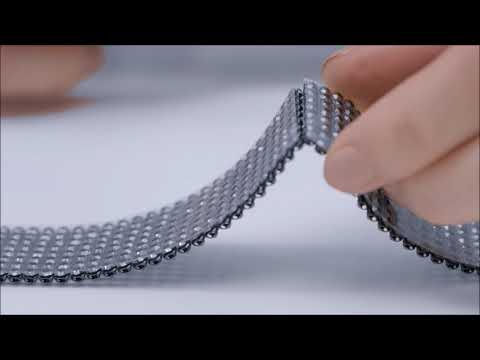
Cutting Crystal Mesh
Before Hotfix application, the transparent film must not be removed. The film allows the individual crystals to be aligned perfectly, and provides Crystal Mesh with the stability necessary for flawless application.

Cut the transparent film between the rows of crystals with a knife. Do not pull the rows apart, otherwise the crystal alignment can be lost.

After cutting the film, the space between the rows allows further processing.

Cut the metal mesh with scissors along the scored line and remove excess link rings. The Crystal Mesh is ready for Hotfix application.
Application Instruction Movie
Cutting Crystal Mesh
Cutting Crystaltex Chaton Bandings
When working with Crystaltex Chaton Bandings, the lack of space between crystals means great care must be taken during cutting to avoid damaging the crystal.


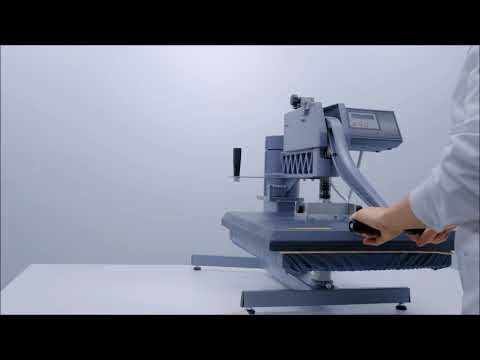
Avoiding film marks
Undesired film marks on sensitive fabrics can be avoided by cutting the transparent film close to the edge of the motif. Apply the product for a short time using a small amount of pressure, then remove the transparent film and press again following the recommended time and pressure settings.


If the film has already left marks, the surface structure of the carrier material can usually be restored by brushing, using a steam iron or re-pressing it in the heat press.
Application Instruction Movie
Avoiding Film Marks
See all Swarovski Application Technique Videos.
Hotfix application on other materials
The Hotfix glue was specially developed for use with textiles. However, experience shows that Hotfix applications can also be carried out on other materials such as wood, paper or metal. In such cases it is very important to carry out application tests beforehand and to check the surface properties. See surface tension in the Gluing chapter.
Application instructions for Crystal Diamond Transfers
When applying Crystal Diamond Transfers, which are Transfers with high-brilliance Chatons, including art. 1028 XILION Chaton in sizes PP 7 and PP 12 and art. 1088 XIRIUS Chaton in size PP 17, a soft compensating underlay such as silicone pad art. 9010/005 should always be used. This soft pad encloses the crystal points and allows optimum pressure distribution, improving the bond between the carrier material and the Crystal Diamonds up to the girdle. Cardboard prevents the crystals from sinking into the soft support surface of the heat press and ensures proper application of pressure.


Layer arrangement
Crystal Diamond Transfers on solid materials
To apply Crystal Diamond Transfers on solid, wooden-based surfaces carry out the following instructions:

To program the CNC milling machine with the requested Crystal Diamond motif the individual .dxf file is required. Contact your Swarovski sales office to request this file.

Mill the cavities using a special 90° mill with a diameter that corresponds to the selected element. Clean the surface carefully using oil-free compressed air afterwards.

For an easier removal of the transfer film after the application, apply a small transfer foil on the edge of the carrier material.

Peel off the Crystal Diamond Transfer white protective film and place the Crystal Diamond Transfer in the desired position on the carrier material. The transfer film is lying on the small transfer foils, too.

Carefully clean the contact surfaces of the heat press while turned off. Position the carrier material in the heat press and set the application parameters. Make sure that the right application tools are used and the transfer is applied with low pressure.

After the application is finished, use a pressing cloth or a heat resistant glove to apply additional pressure.

Once the product has cooled down completely, the transparent film can be removed at an acute angle with help of the applied transfer foil.
We do not recommend the application of Crystal Diamond Transfer on following fields of application:
- In baths and wellness areas, due to high temperature and moisture
- In contact with sweat, chlorine and other aggressive cleaning agents
- Outdoors
For further information visit SWAROVSKI-PROFESSIONAL.COM
Useful Information & Quick assistance
Cavitiy production/types
Specific cavities need to be created when applying Crystal Diamond Transfers onto a carrier material with a solid surface. The cavity enables the Transfer to be easily positioned and ensures a higher protection of the crystals against mechanical and chemical stress. These cavities can be produced by milling (e.g. with CNC machines). The individual .dxf file which is needed to program the machine includes position information (centre point of each crystal). It can be read by standard CNC machines. For detailed information and instructions about cavity production/types please refer to the “Gluing” chapter.
| ART. 1360 | CAVITY ANGLE | ADDITIONAL COUNTERSINK | TWIST / NC DRILL 90° DIAMETER |
|---|---|---|---|
| PP 7 | 90° | 0.10 mm | 1.5 mm |
| PP 12 | 90° | 0.10 mm | 2.0 mm |
| PP 17 | 90° | 0.10 mm | 2.5 mm |
Application Parameters for Crystal Diamond Transfers on solid materials
Application from the front
| Carrier material | Temperature/time required (in seconds) 110 °C / 230 °F |
|---|---|
| Medium density fiberboard (MDF) | 120 |
| Veneered wood fiberboard | 120 |
| Laminated wood fiberboard (HPL) | 120 |
| Solid hardwood | 120 |
Pressure: low
Tools: Teflon® foil, pressing cloth, silicone ironing pad
Hotfix application of different stone sizes
A Hotfix application of one motif with different stone sizes is not possible in only one application step. In this case the specific design must be divided into separate motifs, which in turn must be applied separately, starting with the Crystal Diamond Transfers that feature the smallest stone.

Quick Assistance
The following table outlines typical Hotfix application problems, along with possible causes and recommendations on avoiding them.
| Problem | Possible cause reference |
|---|---|
| The product does not adhere to the fabric. | 1,2,3,4,5,6,14 |
| Glue is oozing out around the crystals. | 7,8,9 |
| The support film leaves marks on delicate fabrics. | 7,8,9,10,11,12 |
| The product does not adhere to seams or multi-layered fabric. | 1,2,3,4,5,6,13 |
Causes and recommendations
| No. | Cause | Recommendation |
|---|---|---|
| 1 | The application temperature is too low. | Increase the temperature to at least 120 °C (250 °F). See the Hotfix Selector table for further assistance. |
| 2 | Uneven distribution of heat on the heated surface. | Check the temperature with a temperature measuring strip or a laser measuring device, and set up the heat press again. |
| 3 | The application time is too short. | Increase application time. It takes longer for the heat to activate the Hotfix glue on layered fabric and seams. If necessary apply from the front. See the Hotfix Selector table for further assistance. |
| 4 | The pressure is too low. | Thick fabrics and certain products need higher pressure. See the Hotfix Selector table for further assistance. |
| 5 | The heat press does not close evenly. | Adjust the heat press. |
| 6 | The ironing pad is unsuitable. | Carry out tests with different ironing pads to establish the most suitable. |
| 7 | The temperature is too high. | Choose a lower temperature, between 120 °C and 170 °C (250 °F and 340 °F). See the Hotfix Selector table for further assistance. |
| 8 | The application time is too long. | Reduce the application time. See the Hotfix Selector table for further assistance. |
| 9 | The pressure is too high. | Reduce the pressure on the heat press. See the Hotfix Selector table for further assistance. |
| 10 | The ironing pad is too hard. | Use a soft silicone pad. |
| 11 | The fabric is extremely sensitive. | Iron the fabric with a steam iron. |
| 12 | The transparent support film leaves marks. | Cut away more of the film, closer to the edge of the motif, to reduce marking. |
| 13 | Hotfix elements are not being affected by the heat plate. | Balance out the different thicknesses of seams, buttons, zippers etc. by using pieces of felt, which have been cut to exactly the right size and placed under the Hotfix element. |
| 14 | The carrier material is not suitable for Hotfix application. | Some textiles and special finishes are unsuitable for Hotfix application, due to a lack of absorbency (e.g. very tightly woven textiles, smooth leather and smooth imitation leather, water-repellent treatments, etc.) Swarovski Coldfix products can be an alternative solution for these special materials. |